Easy2u
One account for a network of self-service kiosks, on the web and on the phone.
- Client
- Easy2u
- Role
- Design Lead
- Years
- 2018-2020
- Platforms
- Web app, iOS and Android apps
- Scope
- Research, product design, UX, UI, branding
The situation
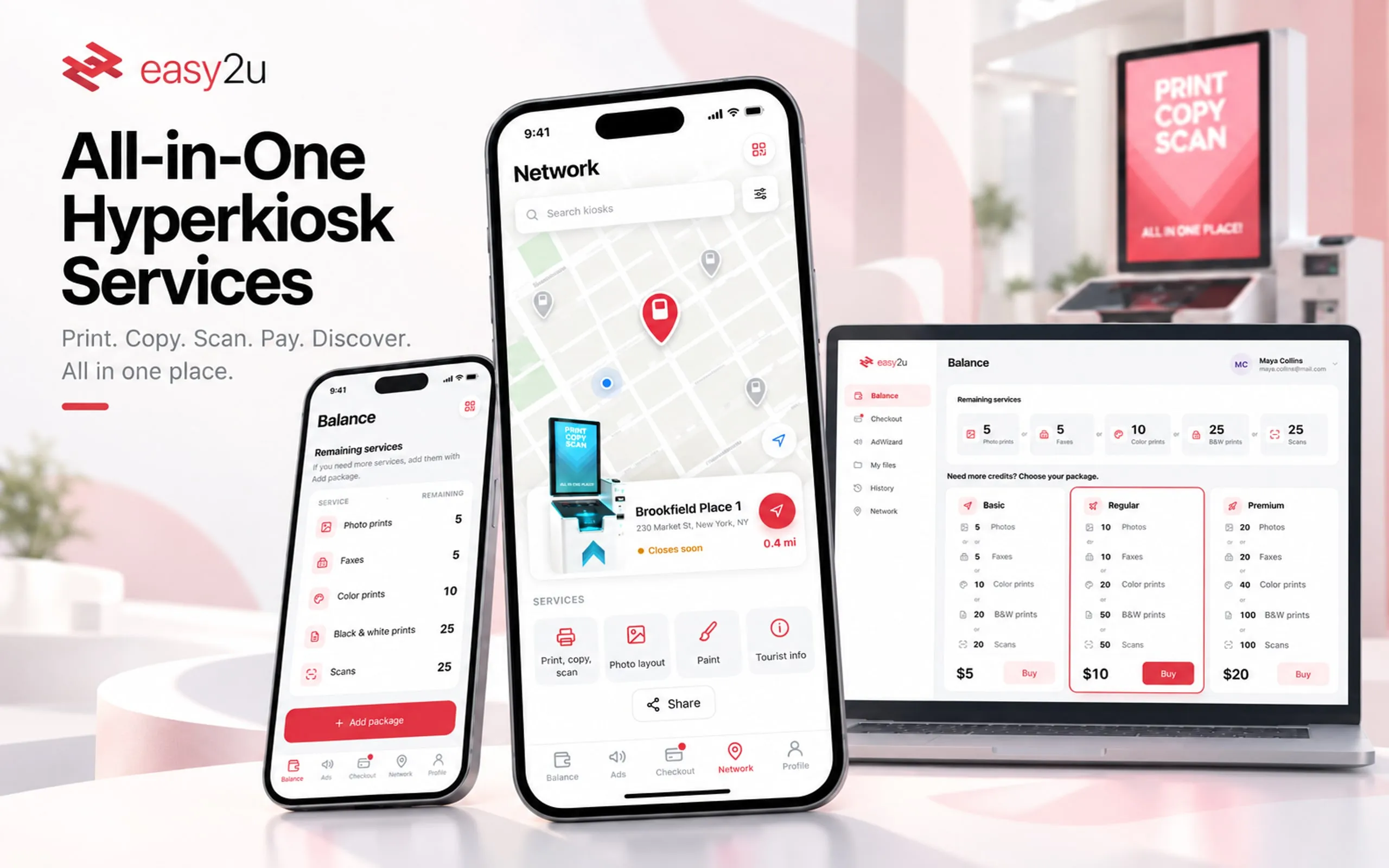
Easy2u Inc. makes the HyperKiosk for the US market, an indoor self-service machine. It prints, copies and scans, prints gift cards, gives tourist information and offers a notary service, among other things. The company planned to place kiosks in many indoor locations and grow a network of thousands.
In May 2019 the brief was a web and mobile app for that network. A customer had to find a nearby kiosk with the right service and get the shortest route there. They had to check their balance and top it up, and see their open invoices and pay them in a few taps.
A large development team would build it. So the design had to arrive as a detailed backlog and a working prototype, with little left to decide during the build.
The system behind it
- Data
- Credits for five services, credit packages, invoices, files to print, ad placements with their kiosk and dates, and every kiosk with its address, hours and services.
- Rules
- One credit balance pays for any of the five services. Kiosks don’t all offer the same services. Every ad placement belongs to one kiosk and has a start and an expiry, and every invoice is valid until a set date.
- People
- Customers who walk up for one job, regulars who keep credits on the account, and businesses that buy ad space on kiosk screens.
Decisions
One scan connects the phone to the kiosk
What brokeA kiosk is a public touchscreen in a shopping centre. Typing an email and password into it is slow, and anyone standing behind you can watch.
What I decidedOne QR scan connects the phone to the kiosk in front of you, to sign in, send a file to print or pay. The first onboarding card explains it, and the scan button sits in the top-right corner of every screen after that.
The trade-offIt pays off only for customers who have the app. Everyone else uses the kiosk on its own screen.
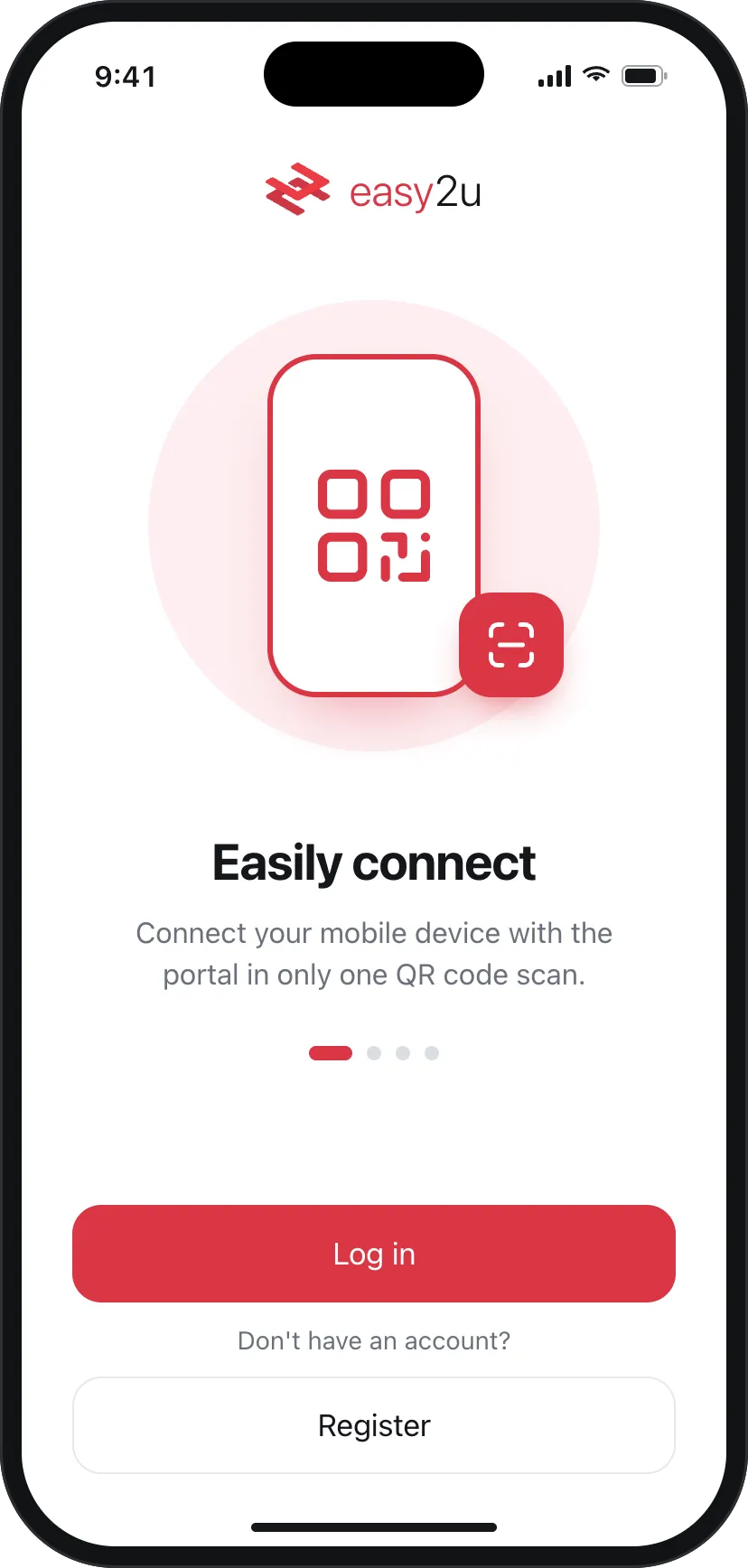
Onboarding opens with the kiosk connection, before balance or payments. Credits shown as what they buy
What brokeA balance in points means little at a print kiosk. People think in jobs: can I print this, can I send that fax.
What I decidedThe balance reads as five numbers, one per service: 5 photo prints or 5 faxes or 10 colour prints or 25 black-and-white prints or 25 scans. The packages use the same units, so what is left and what you would buy compare line by line.
The trade-offOne balance shown as five numbers can be read as five separate balances. The meaning rests on the small "or" between them.
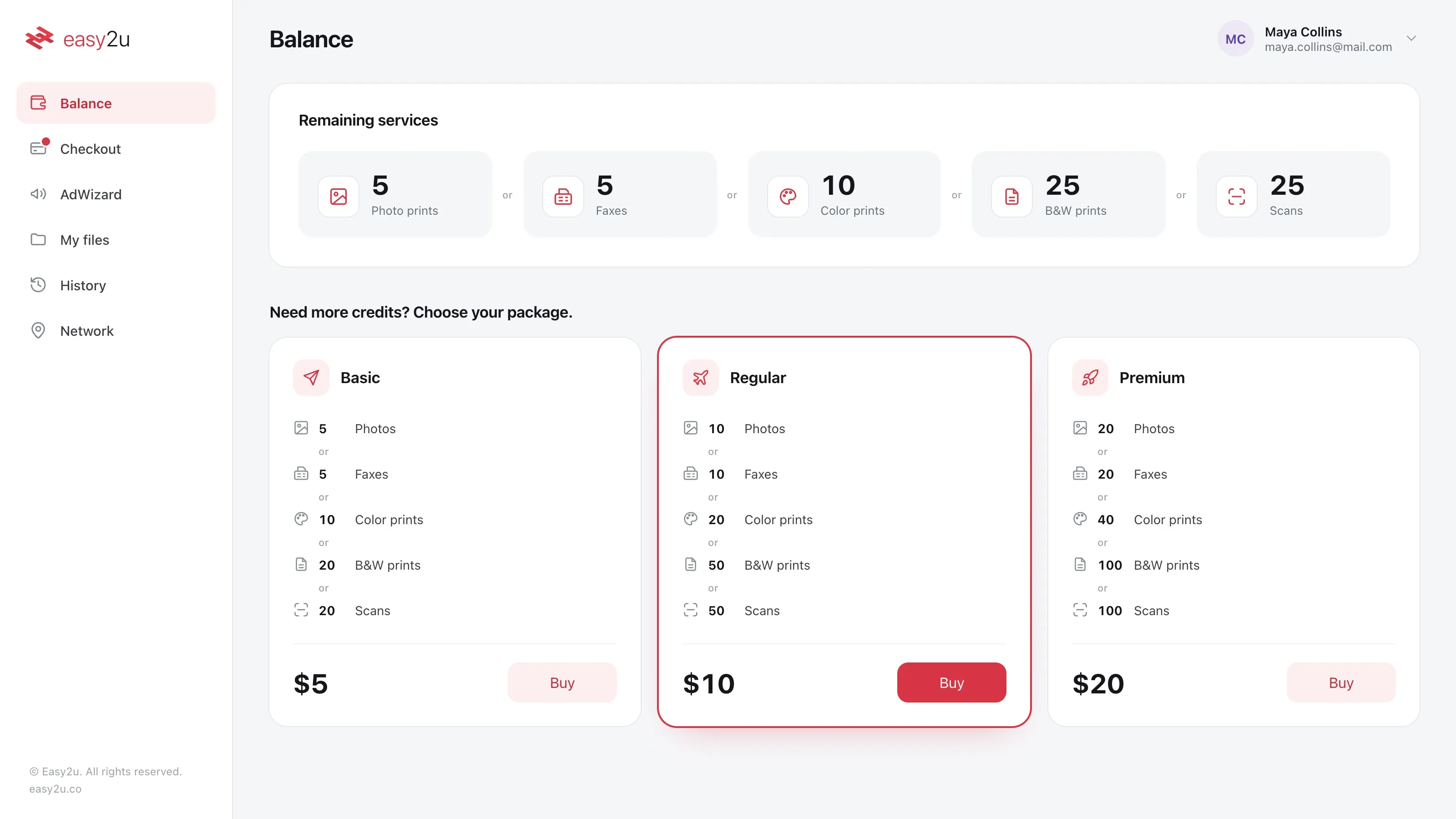
What the remaining credit buys, then the three packages in the same units. The right kiosk, not only the nearest
What brokeKiosks don’t all offer the same services, so the closest one can be the wrong one.
What I decidedThe map filters kiosks by service. Each kiosk card shows whether it is closing soon, its hours and what it offers before the route button, so nobody walks to a kiosk that is about to close. On the web the route also comes as printable directions.
The trade-offA map answers "what’s near me" well and comparison badly. Checking three kiosks means opening three cards.
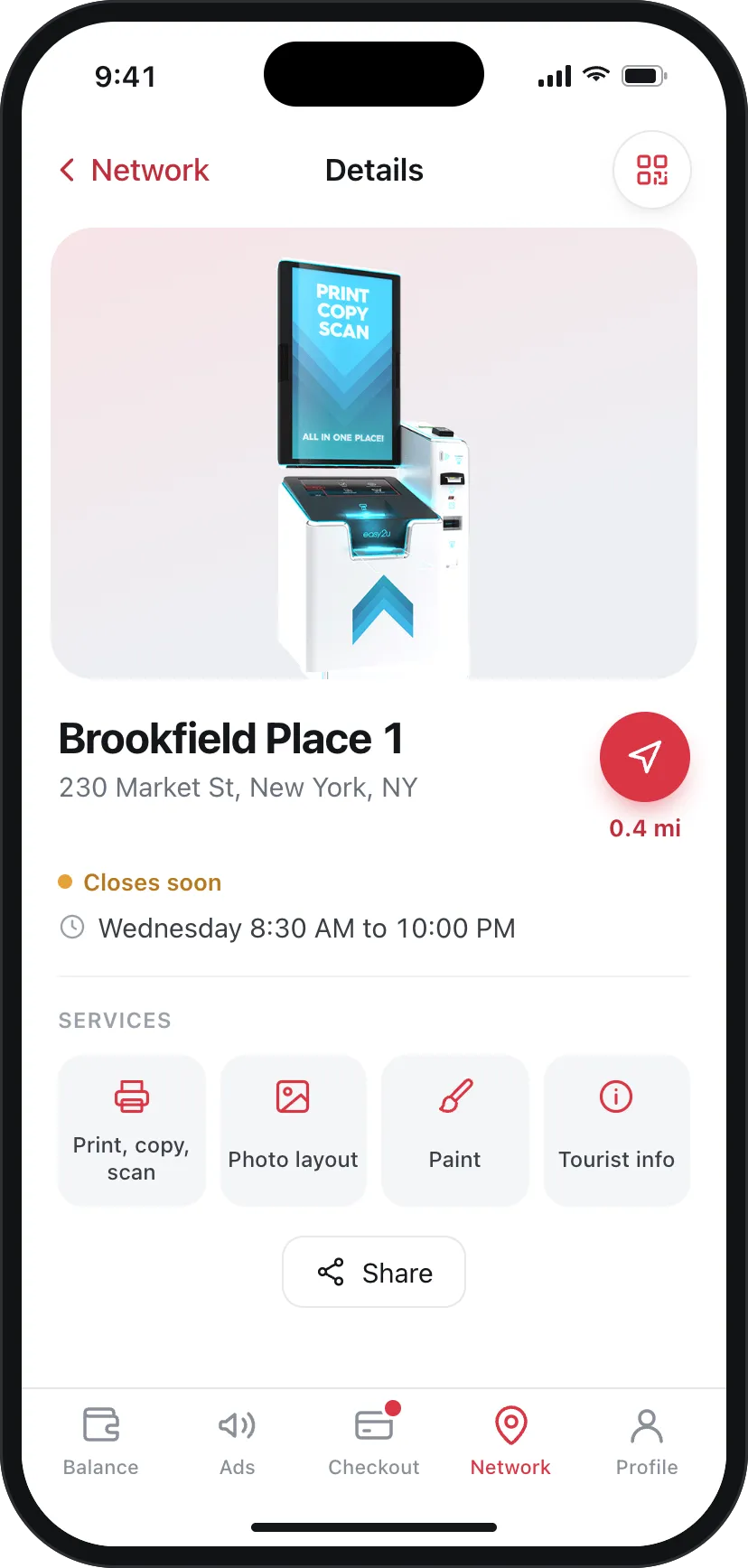
A kiosk’s card: status, hours and the services it offers, with the route one tap away. What you owe stays in sight
What brokeCustomers pay for credit packages and businesses pay for ad placements. A bill that only lives on its own page is easy to forget.
What I decidedCheckout carries a red dot on every other screen, on the web and on the phone. Each invoice says what was bought, at which kiosk, from when and for how much, with one Pay button. Packages and ad placements share one list.
The trade-offThe dot says something is due, not how many invoices or how much.
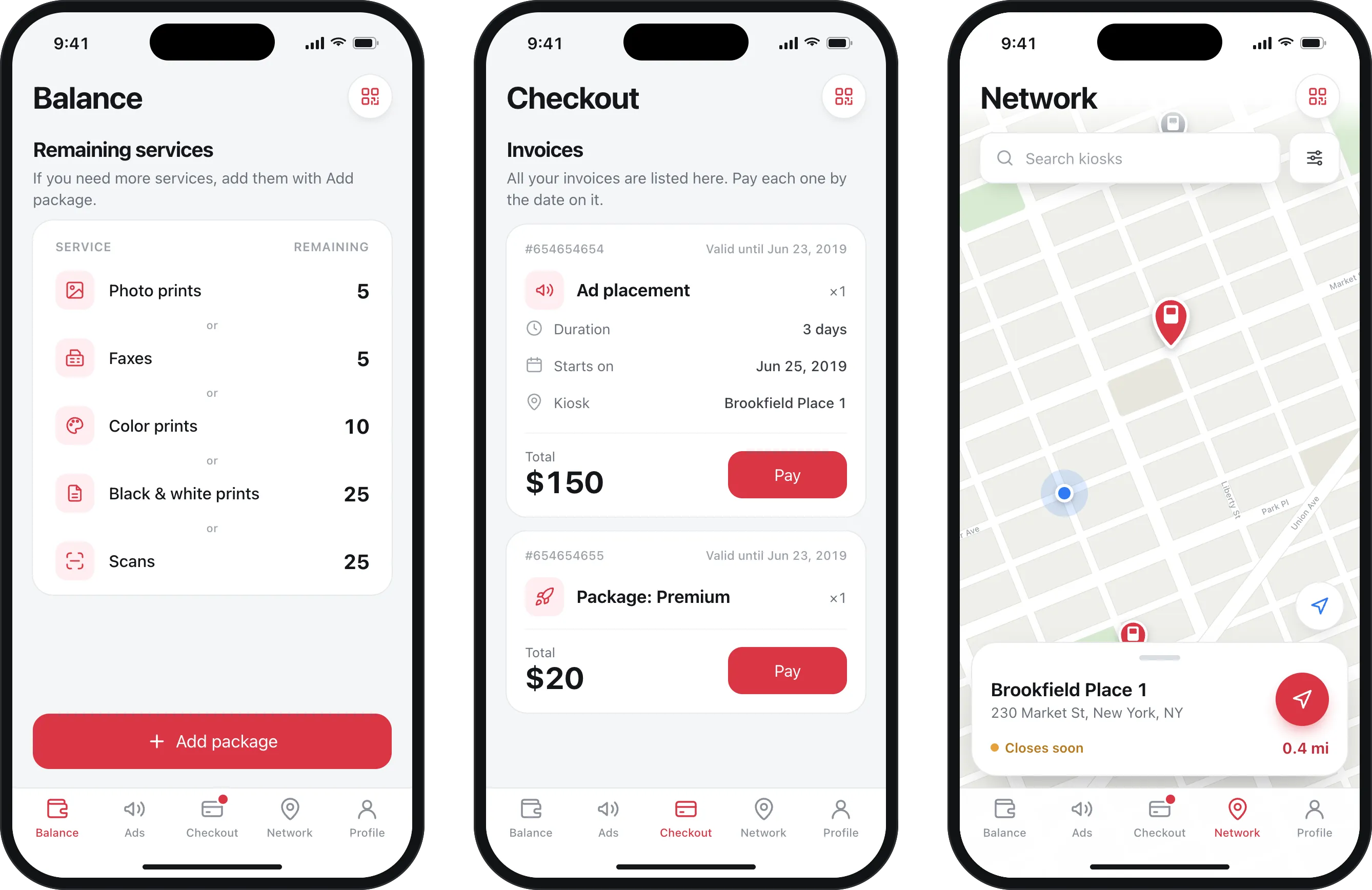
Balance, Checkout and Network on the phone. The red dot on Checkout follows you across tabs and clears when you open it. Adverts tracked by kiosk and expiry
What brokeA business can run many placements across many kiosks at once and needs to see which ones are about to end.
What I decidedAdWizard lists every placement with its kiosk, start date and expiry, and dates close to ending turn red. Each placement is billed through Checkout like any other invoice.
The trade-offThe table pages through 56 placements ten at a time, with no sort or filter, so red dates help only on the page you are looking at.
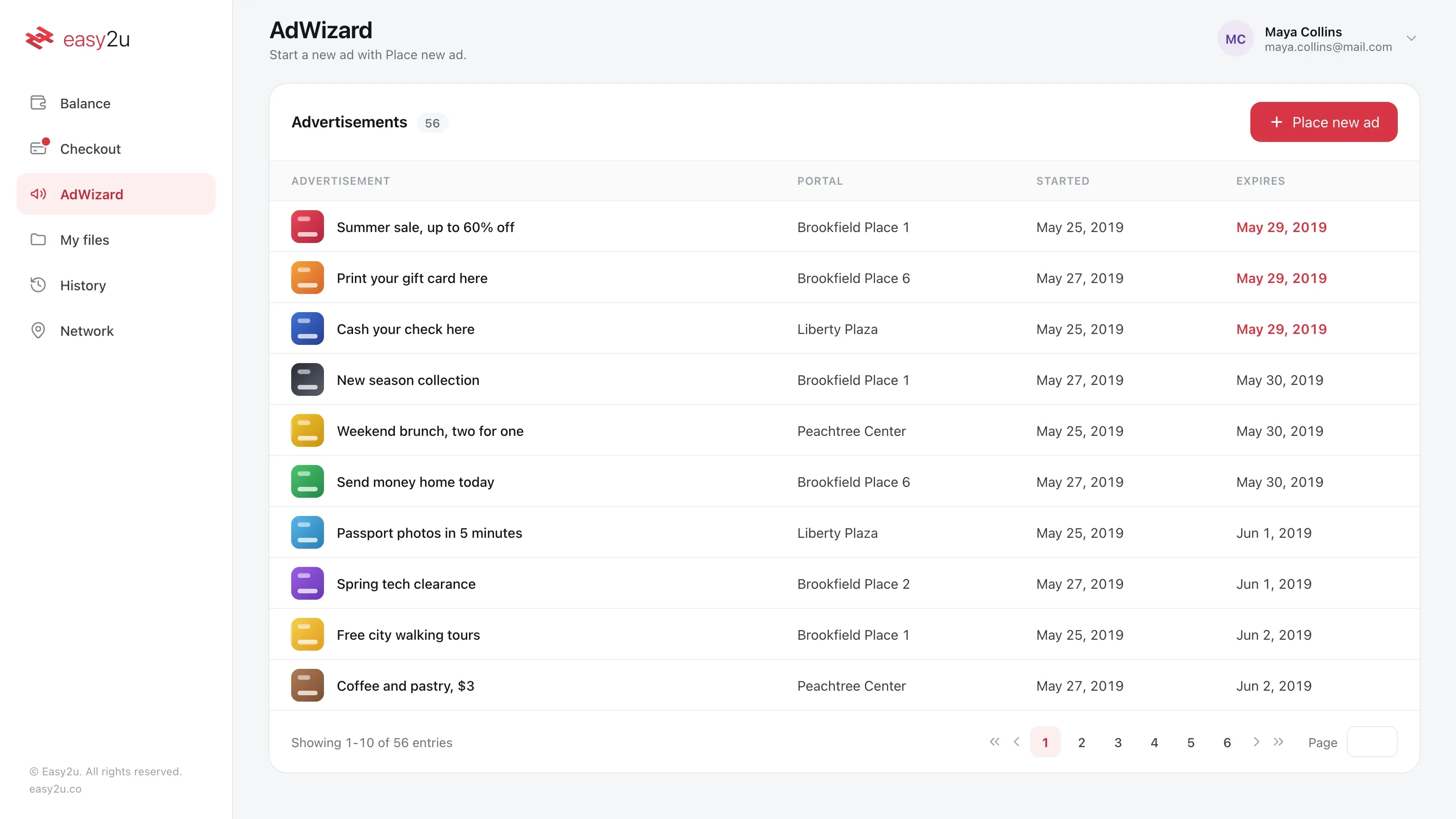
AdWizard: every placement with its kiosk and dates. Dates close to expiry turn red.
What changed
The web app, the iOS and Android apps and AdWizard all shipped. The prototype went to development detailed enough that few changes were needed at the end.
After launch, Easy2u reported 30% growth in its user network and a 24% rise in user satisfaction.
My part
I was Design Lead at Easy2u from 2018 to 2020 and led the design team for the HyperKiosk.
On this app I ran the research with interviews and surveys, turned it into personas and empathy maps, and made the information architecture, wireframes, mock-ups and the working prototype.
More screens
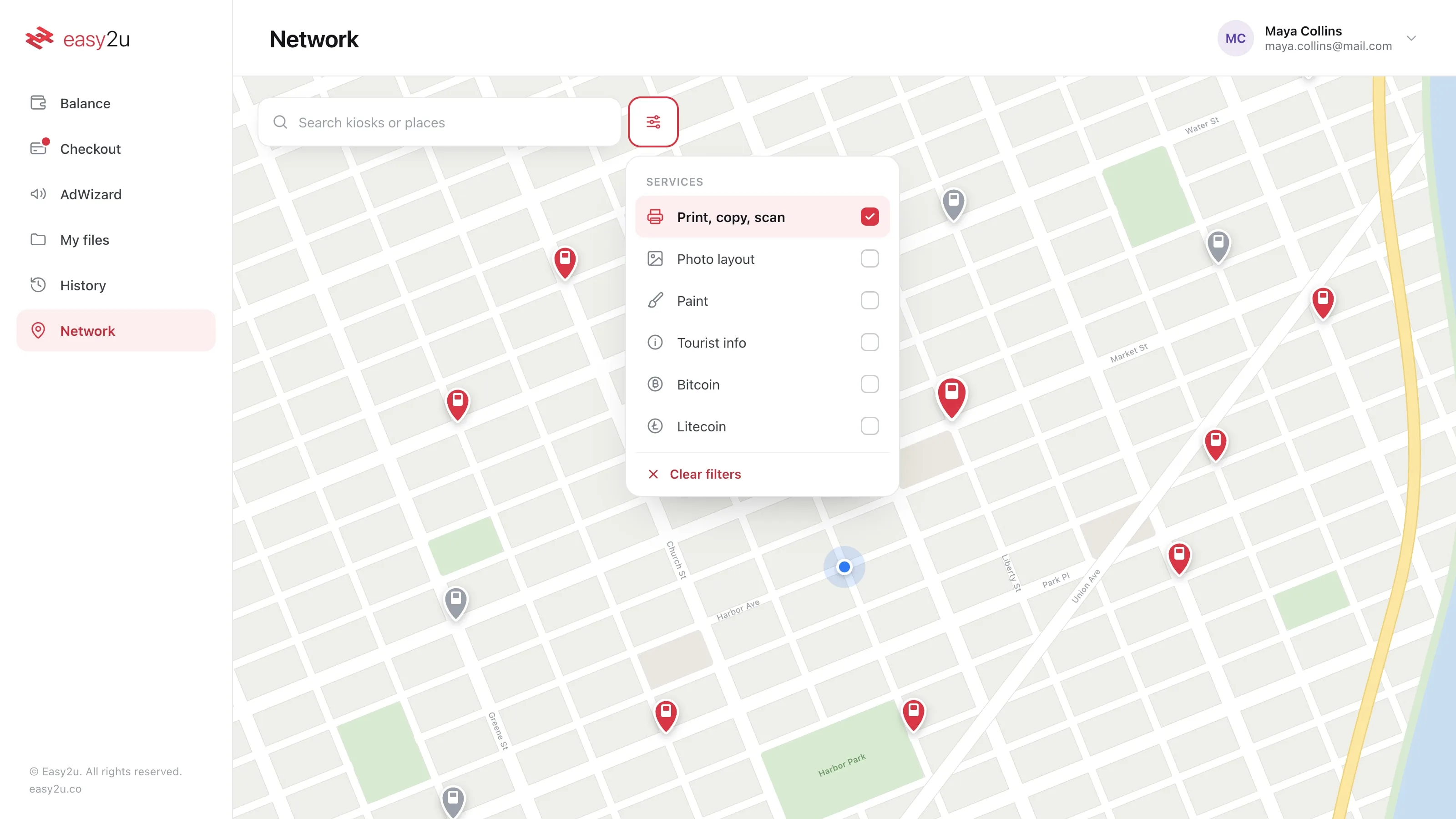
Filtering the network by service. Not every kiosk offers every service. 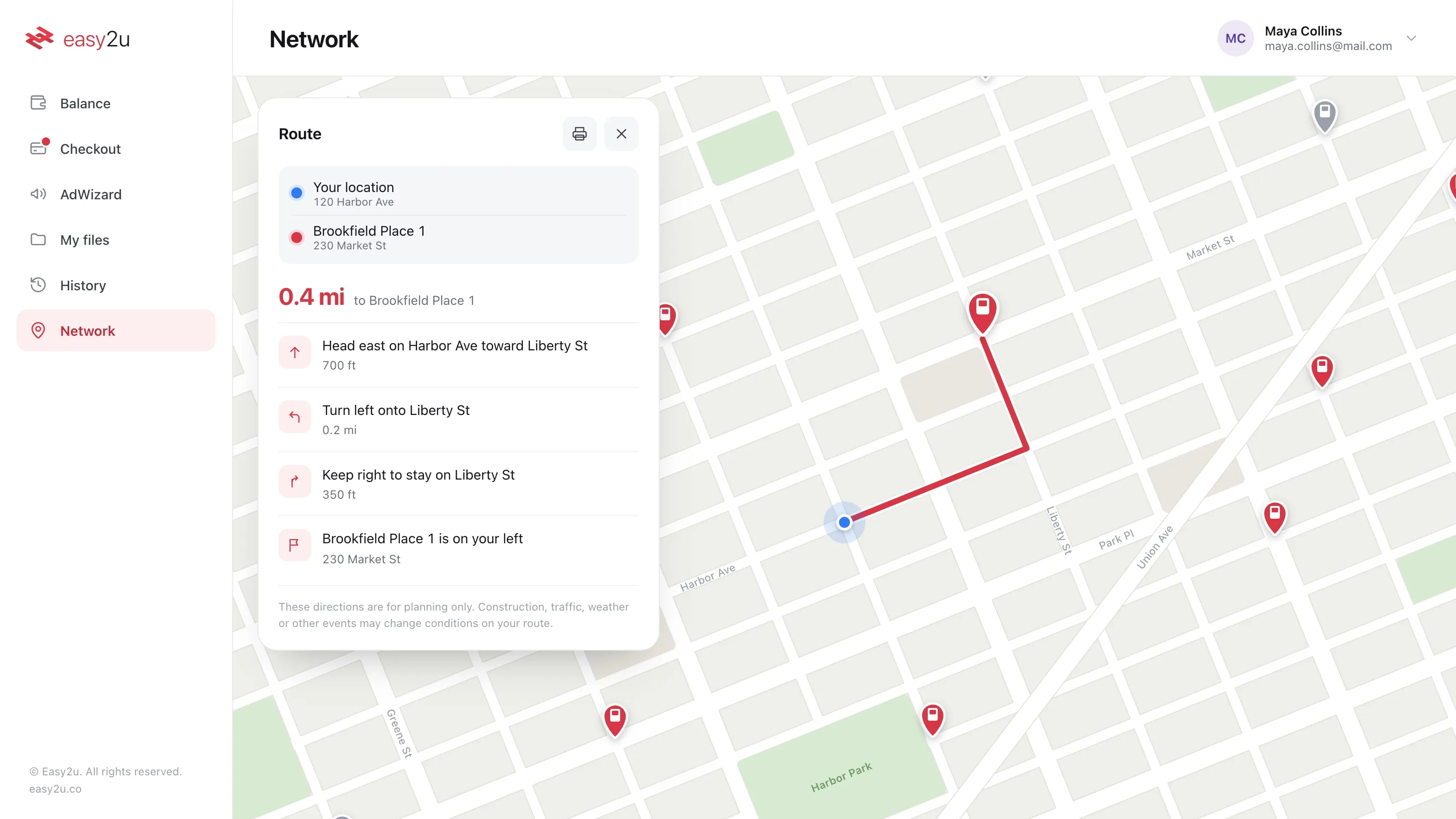
Directions to a chosen kiosk, with the distance and a printable route. 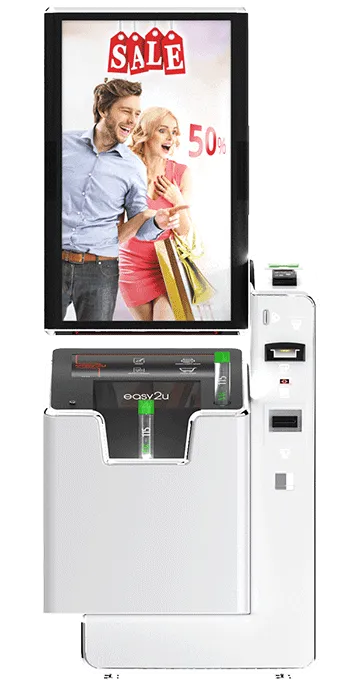
Advertising. 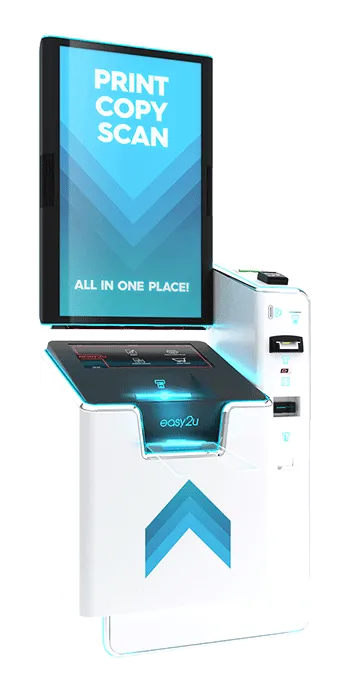
Printing. 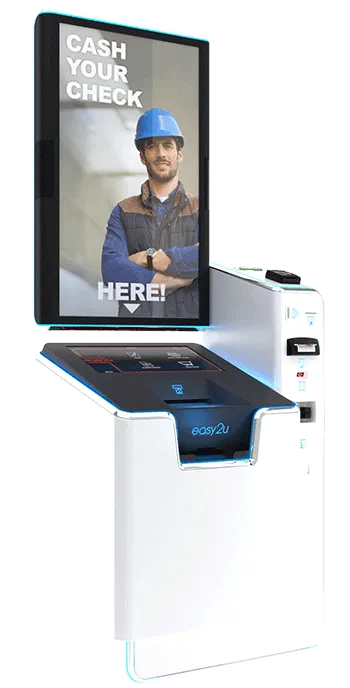
Cheque cashing. 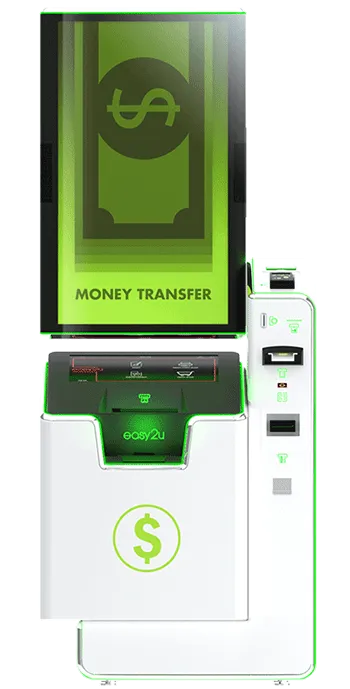
Money transfer. 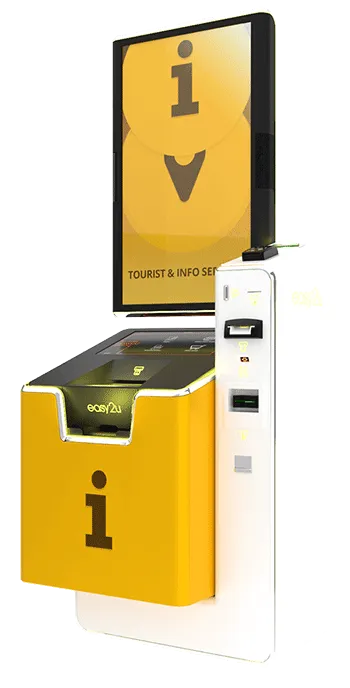
Tourist information. 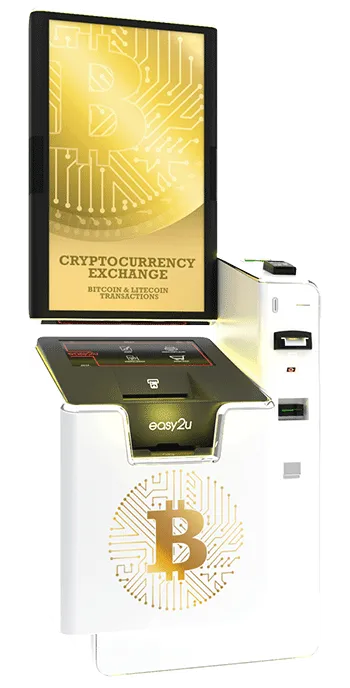
Crypto exchange.